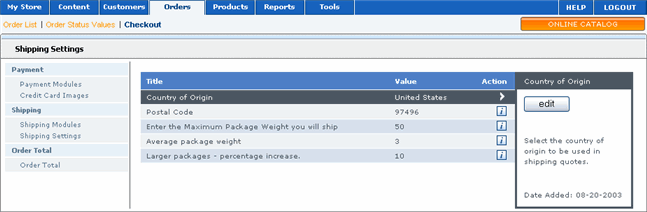
Merchant Manager enables you to control how shipping and packaging is handled. For example, you can specify the default values of shipping options and specify a maximum package size you will ship.
 To configure shipping and
packaging settings:
To configure shipping and
packaging settings:
|
1 |
On the menu, click Orders, Checkout, and then Shipping Settings. A list of all the shipping settings you can configure displays. |
|
2 |
Click the setting you want to configure. Detailed information about this setting and the current configuration display in the right pane. |
|
3 |
In the right pane, click Edit. |
|
4 |
Modify the values as necessary and then click Update. |
